Building Your Collection
In order for Take Stock to add metadata you need to define your collection of cameras, lenses, and film stocks. This information provides the basis of what will be written to your photos. To add gear click the icon in the lower-left of the window, or choose an option from File > New.
Cameras & Lenses
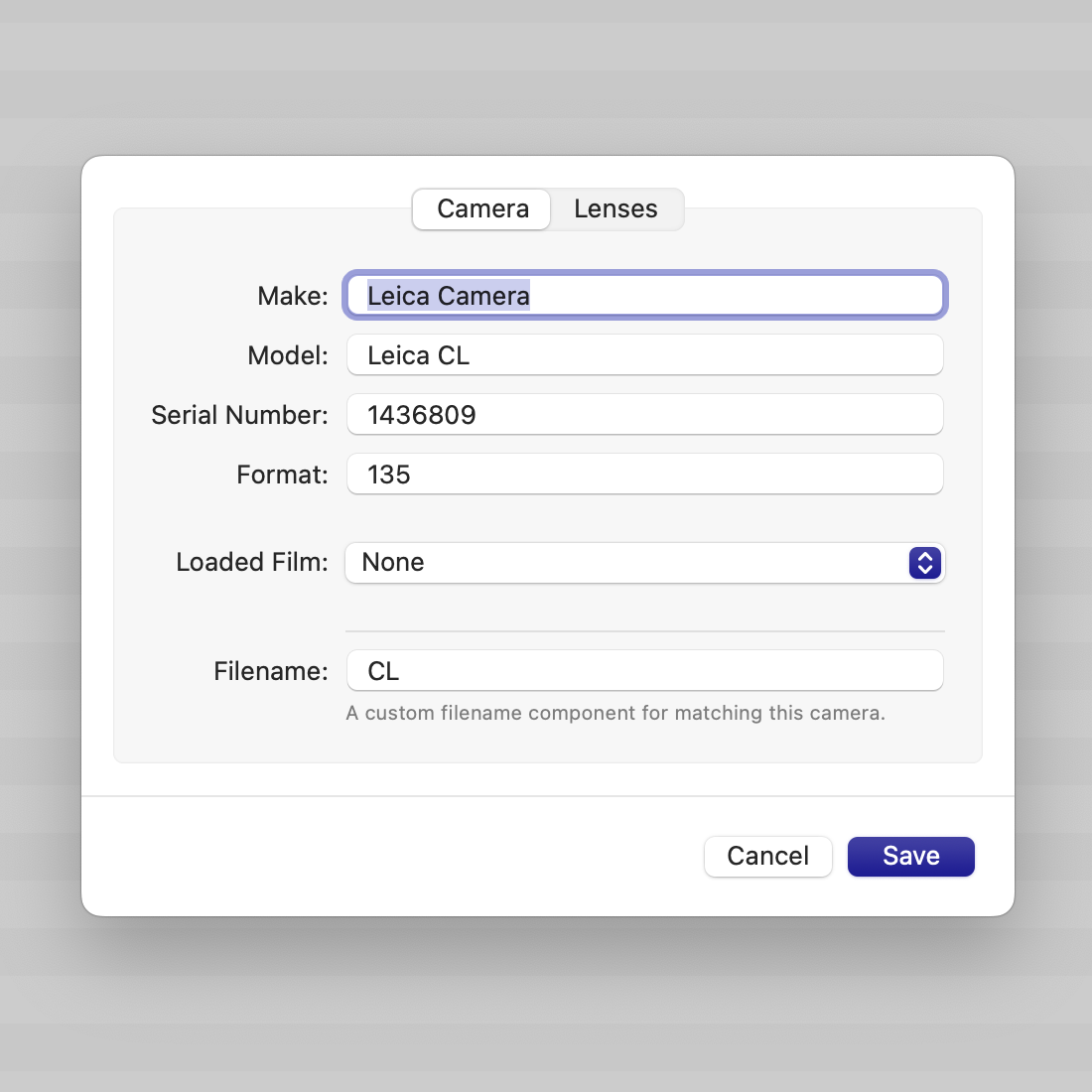
The main information for both cameras and lenses are the make, model, and serial number. None of the fields are required, but will give more details for the final export.
The other tab in the edit sheet is for linking cameras and lenses together. When choosing a camera for a roll or photo the lenses shown are controlled by this association.
Lens Info
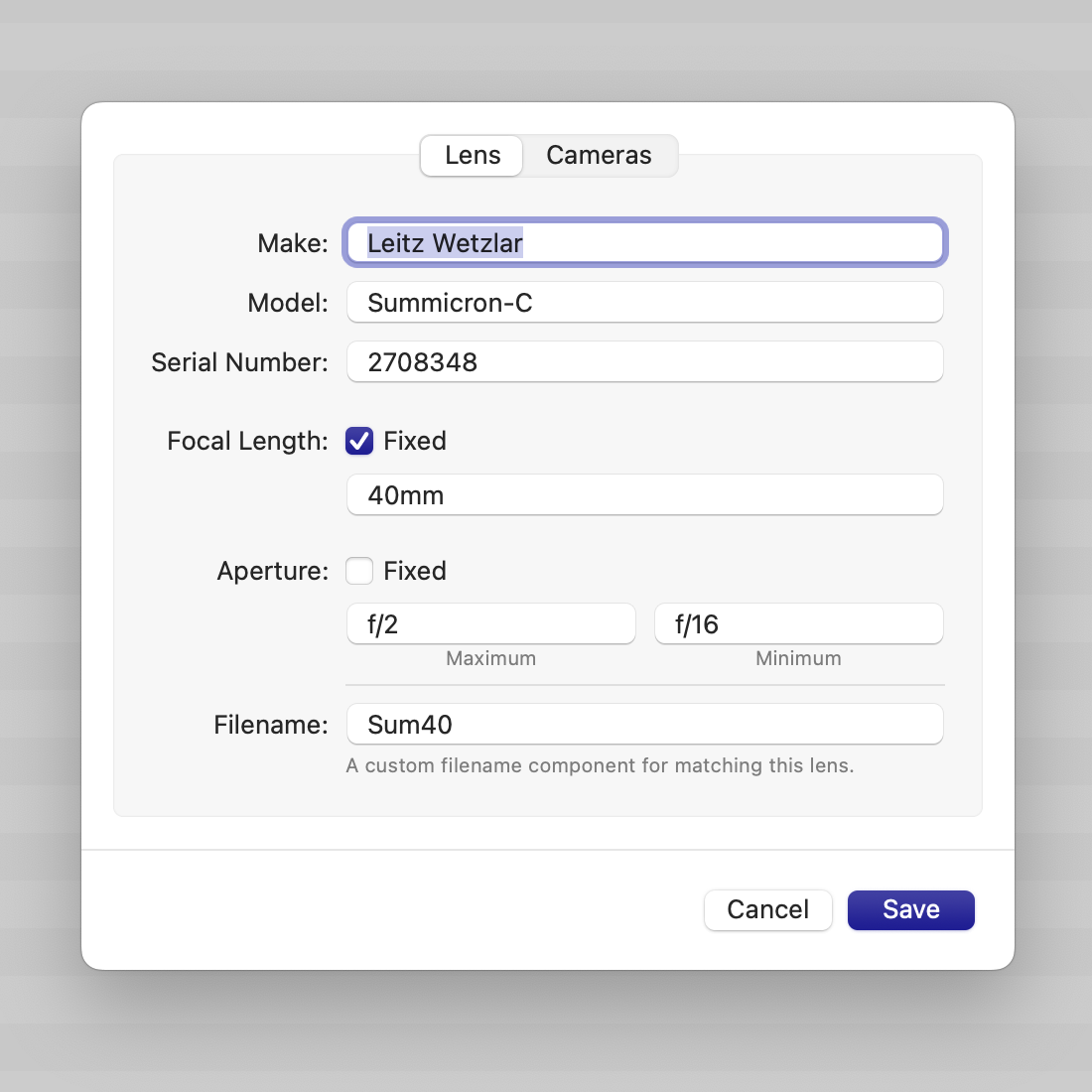
Information about the lens, specifically its focal length and aperture ranges, will be embedded in your photos. For fixed focal length lenses click the Fixed checkbox and enter the focal length. If the lens is a zoom uncheck the box and enter the zoom range.
Do the same for the aperture, noting that the maximum aperture is the smallest f-number.
Film Stock
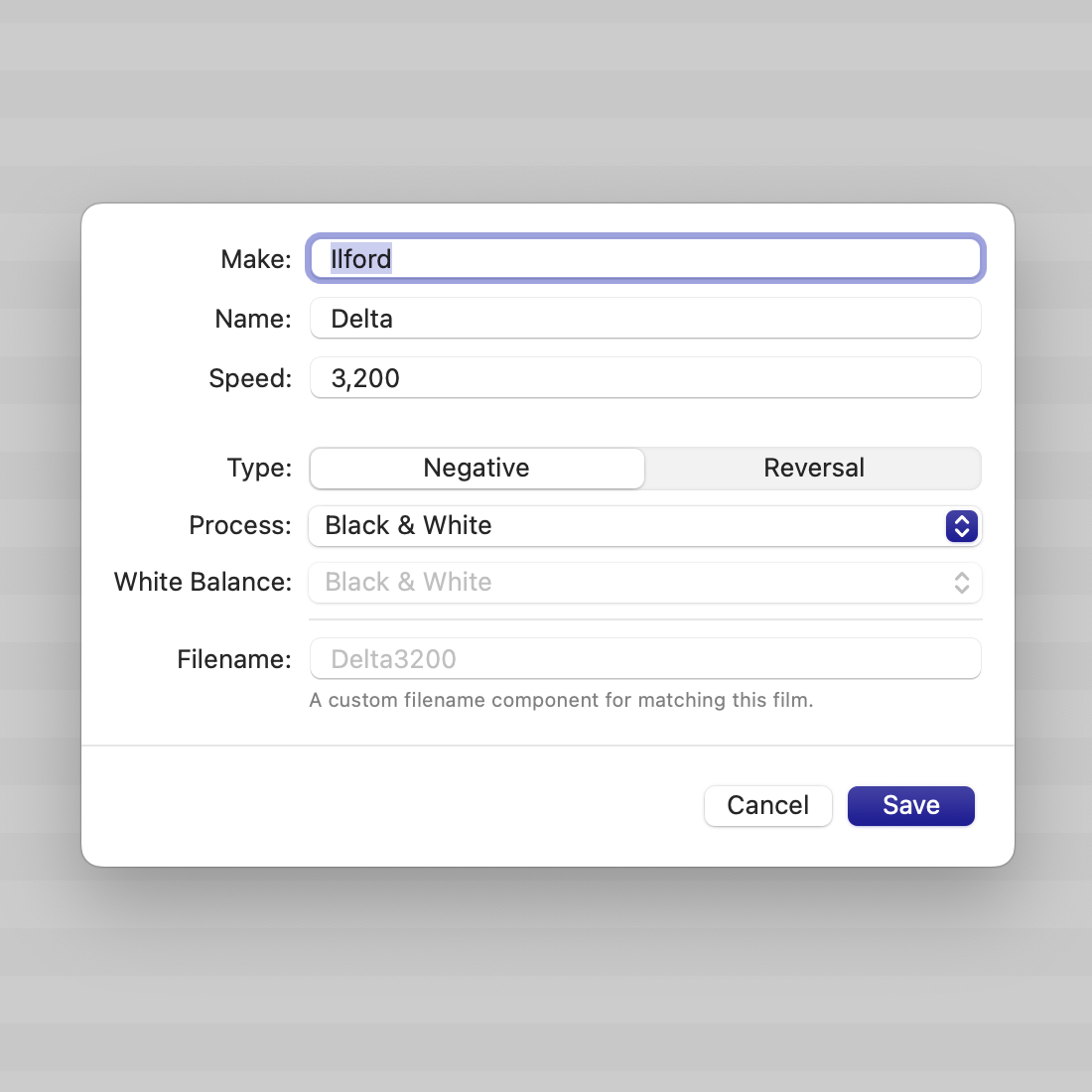
A film stock is primarily defined by its manufacturer, name, and box speed. Additionally the type of film, process, and color balance can be defined. These attributes are used to set the light source and white balance for the file.
In addition to the development processes included with Take Stock custom ones can be defined from Preferences. The process code and name can be set and will be included in the metadata.
Custom Filenames
Common to all three models is a customizable filename token. This is a short unique string which can be used to speed up matching the camera, lens, or film when importing images.